Showing posts with label Book Creator. Show all posts

Wednesday, January 4, 2023

Stay Safe Online

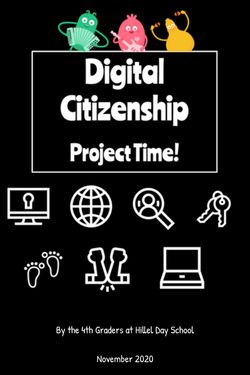
That's the title of the books, or at least most of the books, that the 4th graders wrote as for their summative project of their Digital Citizenship unit. Working in groups of two or three, students had to search their brains for online safety tips they gathered over the duration of the unit and put that to good use: teaching other kids!

Linked below you'll see their books, created using Book Creator, and we hope you and your students can learn something from reading them!


Thursday, March 31, 2022

Start 'em Young

It is never too early to talk about Digital Safety with children. Never.

Thankfully, there are plenty of fantastic resources available for both parents and educators that explore the complicated and confusing world of Digital Safety. My favorite resource is Common Sense Media, and really, they're my go to for most things educational- technologically or otherwise!

Common Sense has ready-to-go lessons for all grades, ranging in 15 minutes to 45 minutes, complete with activities, interactives, and parent resources. It's the place in which I start when designing activities for our students. Sometimes I only use part of a lesson, sometimes I use the full lesson, and I always use the videos. The videos that Common Sense Education offers are fantastic snippets of lessons that often have catchy tunes. They have clips for all ages, including high school, that are relevant and engaging. Additionally, they've partnered with Book Creator (another favorite!) to bring these lessons to students.

I also love using picture books with all grades to teach Digital Safety. Some of my favorites are linked on the Readings, Resources, and Recommendations tab.

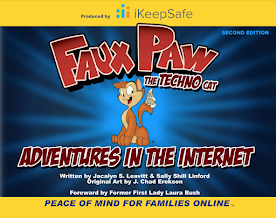
Both first and second grades had Digital Citizenship lessons in March. After all, it's never too early to talk about Digital Safety with children! First grade's lesson was from Common Sense Education's, while second grade got to meet my friend Faux Paw! Both lessons included engaging videos, and both ended with a Seesaw activity.

Using a Seesaw activity to wrap the lessons enhances it in two ways. First, it provides direct practice for students to engage with the concepts in the lesson. Second, it shows families exactly what we've done, and provides them with conversation tools and the family resources. As an added bonus, the kids are super familiar with Seesaw and can interact with it to really showcase their learning!

You can see each lesson on Seesaw. The first grade lesson talks about how using technology makes us feel, and I adapted the emoji game that is included in the lesson so it could be done on Seesaw. Students designed a happy, frustrated, curious, and uncomfortable emoji. I then shared a variety of situations with them, and they had to show the emoji that represented how they'd feel in that situation. The second graders enjoyed the book Faux Paw's Adventures in the Internet, and the animated version with the same title. They then completed a Seesaw activity that sorted activities into "safe" or "not safe."
In first and second grade, Digital Citizenship lessons are peppered throughout the school year, interspersed with coding, games, and curricular content, with the intention to bring awareness to online behavior, how technology impacts people, and overall Digital Safety. We deepen the material appropriately in the older grades. The ultimate goal in the lower grades is to build a foundation of skills on which to build.

When I started in the classroom 20 years ago, I never would have thought that technology would infiltrate the lower grades as deeply as it has. I never expected that my nieces, currently four and seven, would have their own devices but clearly they are not alone in their devices. With that in mind, we need to start educating 'em young so they can building healthy technology habits!

//


Wednesday, October 27, 2021

Fall CUE

This past weekend was the CUE conference, my first one!

First, I was blown away by the number of educators who, in the current climate, still showed up for a weekend education conference.  Us teachers, we just. don't. stop.  (And I know, that's part of the problem, but that is a whole different post!). At the presenter pre-meeting we were warned that there was a chance people might not show up to our session, in which case, we should pretend we are creating a recording for others to watch later.

Second, I loved how organized the conference was!  From the backend presenter resources and support to the conference website - it was so easy to pop in to sessions throughout the weekend.  There were tons of options, too, which made the organization even more important.

Third, I was really nervous about presenting online.  I mean, I've done PDs and Workshops for my local school and community, but this?  This is a mid-western girl from Michigan presenting via Zoom to the great state of California!  It was a little intimidating!  Both of my sessions were new ones (which was so not smart on my part - new conference and new sessions?!) and so I wasn't sure how they'd go.  Thankfully, everything went smoothly and I got solid feedback from the attendees.

Session one was on using Scratch to create video games.  Session two was all about integrating technology into curriculum.  I featured four tools - Seesaw, Flipgrid, Screencastify, and Book Creator - that all cross subjects, disciplines, and ages.  It was fun to present them, and I'm already tweaking them for the next opportunity.

Finally, the sessions I went to were fantastic.  I know that COVID has sucked the life out of a lot of people, events, systems, and structures.  I also know that for the events that shifted to an online platform, that's some pretty good stuff there, and the fact that I can go back and watch the recordings for the sessions I missed is even better.

If CUE is virtual again, I will be adding it to my list for sure.  If it shifts back to solely in person, I'd happily accept anyone's offer to fund my trip to the Golden state!

//

Sunday, January 17, 2021

Authors in Action

Wow can those third graders write!  And thanks to Book Creator, their writing is looking very professional in the books on which they are working!

Book Creator makes it very simple to take a piece of writing (or pieces of writing!) and turn them into polished, easily accessible, and engaging (read: you can make them interactive with links and audio!) products.

The third graders have been working hard polishing their writing in Google.  Over the past few weeks they've reviewed adding backgrounds and images and textboxes in Book Creator.  This week we learned how to copy and paste their edited writing from Google into Book Creator.  It never gets old, watching their eyes light up as they see their writing magically appear in a new place!

Through these Book Creator experiences, we also get to talk about the aesthetics of publishing.  We all know how easy it is to get lost in fonts, so we talk about how you want consistency of font style, chapter titles one font across the book, body style consistent, and how readability is key.  Those are some tough choices to make when you're in the heat of your publishing!

The kids add a table of contents, and thanks to the beauty of Book Creator, they can make each chapter in the table of contents linkable to the specific page in the book!

Book Creator offers a completely free option, completely, free!  You get one library with up to 40 books in it!  Great to play around with before you dive into the give-me-more-space-for-more-books-it's-so-much-fun world!

Tuesday, December 15, 2020

Book Creator: Let's Get Writing!

The 3rd grade tech journey has been pretty basic thus far: Typing and Google Slides.

It's time to kick things up a notch (remember Emeril?) in the tech game!  It's time for Book Creator!

A huge writing unit in 3rd grade is Informational Text.  They review elements of non-fiction, explore supporting details, and develop writing skills in general.  The kids get to choose their own topic, which the kids love.

The writing starts in January.  The tech practice starts now!

To kick things off, we practiced typing in a website - yikes!  Thankfully, GoGuardian makes it easy to send websites to kids computers!  Once they got to the website, the kids had to make sure to click on student login and login with Google.  Then, they're in!

It was fun exploring cover design, learning to add text boxes and import pictures, and yes, change fonts.  The drawing tool in Book Creator is amazing!  You can add little details to enhance your pages, create custom backgrounds, and so much more!  It's all so intuitive, to, so after a little practice, the kids are good to go!


Wednesday, December 2, 2020

We Are Digital Citizens!

After working their way through a unit on Digital Citizenship, fourth graders created infographics to showcase their learning, and to teach others how to be good digital citizens.  Check out their work!


Tuesday, February 25, 2020

5th Grade Book Creator

Every year our fifth graders investigate explorers.  They use a variety of resources (including GetEpic!) to research and, in the past, they have done things like created slides, written essays, or created posters.

This year, we're changing it up a bit.

This year, we're using BookCreator.

I love the ease of Book Creator - from the log-in process (thank you Google integration!) to the drag and drop features.  Students can add video, audio, and even have the book read to you, creating an interactive e-book.  It's a simple platform, yet it provides the opportunity to make books that are quite sophisticated.  It's easy enough for the lower grades to use, yet robust enough for middle school use and beyond.

The free version gives you one library that can have up to 40 books in it.  Paid versions offer the ability to have multiple libraries with up to 60 books in each.

We've done a few different projects with BookCreator - it's quickly become a favorite tool!