Showing posts with label digital safety. Show all posts

Wednesday, January 4, 2023

Stay Safe Online

That's the title of the books, or at least most of the books, that the 4th graders wrote as for their summative project of their Digital Citizenship unit. Working in groups of two or three, students had to search their brains for online safety tips they gathered over the duration of the unit and put that to good use: teaching other kids!

Linked below you'll see their books, created using Book Creator, and we hope you and your students can learn something from reading them!


Thursday, March 31, 2022

Start 'em Young

It is never too early to talk about Digital Safety with children. Never.

Thankfully, there are plenty of fantastic resources available for both parents and educators that explore the complicated and confusing world of Digital Safety. My favorite resource is Common Sense Media, and really, they're my go to for most things educational- technologically or otherwise!

Common Sense has ready-to-go lessons for all grades, ranging in 15 minutes to 45 minutes, complete with activities, interactives, and parent resources. It's the place in which I start when designing activities for our students. Sometimes I only use part of a lesson, sometimes I use the full lesson, and I always use the videos. The videos that Common Sense Education offers are fantastic snippets of lessons that often have catchy tunes. They have clips for all ages, including high school, that are relevant and engaging. Additionally, they've partnered with Book Creator (another favorite!) to bring these lessons to students.

I also love using picture books with all grades to teach Digital Safety. Some of my favorites are linked on the Readings, Resources, and Recommendations tab.

Both first and second grades had Digital Citizenship lessons in March. After all, it's never too early to talk about Digital Safety with children! First grade's lesson was from Common Sense Education's, while second grade got to meet my friend Faux Paw! Both lessons included engaging videos, and both ended with a Seesaw activity.

Using a Seesaw activity to wrap the lessons enhances it in two ways. First, it provides direct practice for students to engage with the concepts in the lesson. Second, it shows families exactly what we've done, and provides them with conversation tools and the family resources. As an added bonus, the kids are super familiar with Seesaw and can interact with it to really showcase their learning!

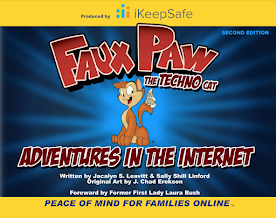
You can see each lesson on Seesaw. The first grade lesson talks about how using technology makes us feel, and I adapted the emoji game that is included in the lesson so it could be done on Seesaw. Students designed a happy, frustrated, curious, and uncomfortable emoji. I then shared a variety of situations with them, and they had to show the emoji that represented how they'd feel in that situation. The second graders enjoyed the book Faux Paw's Adventures in the Internet, and the animated version with the same title. They then completed a Seesaw activity that sorted activities into "safe" or "not safe."
In first and second grade, Digital Citizenship lessons are peppered throughout the school year, interspersed with coding, games, and curricular content, with the intention to bring awareness to online behavior, how technology impacts people, and overall Digital Safety. We deepen the material appropriately in the older grades. The ultimate goal in the lower grades is to build a foundation of skills on which to build.

When I started in the classroom 20 years ago, I never would have thought that technology would infiltrate the lower grades as deeply as it has. I never expected that my nieces, currently four and seven, would have their own devices but clearly they are not alone in their devices. With that in mind, we need to start educating 'em young so they can building healthy technology habits!

//


Wednesday, April 7, 2021

Common Sense

Common Sense.

Some people have it, some people don't.

And whether or not you have Common Sense, you need to know about one of my favorite resources, Common Sense Media.

I've talked about it before, and it is a resource worth mentioning again.  Whether you're a parent, educator, nanny - anyone who interacts with children and young adults, this is a site to bookmark.

And they have a program that allows educators, schools, and districts to become Common Sense Recognized.  This means that the educator, school, or district are committed to providing opportunities for students, staff, and school community members to "harness the power of technology in the classroom and beyond."

Two key takeaways -

1) Parents, teachers, caregivers - anyone working with children and young adults - can go to the Common Sense Media website and find reviews and evaluations on everything from apps to websites, books to movies and TV shows, all that can help determine if they are appropriate for the group.

2) The Digital Citizenship curriculum CSM developed is super friendly for teachers to use, and as a bonus, has a great home connection for parents and guardians.  If you're not using it in your school, it is worth looking at.  If your child's school isn't using it and you're a parent, it's also worth looking at.

It can be so challenging, especially today, to sort through all the chaos and get to the crux of things - use the Common Sense Media site to simplify things a little!  Want to show a movie in class?  Read the CSM reviews first.  Want to check out the latest app the kids are all talking about?  Read the CSM reviews to find out if you should look at ways to integrate it into class. 

I recently completed the requirements to become a Common Sense Educator (and am quite proud of my new badge!) If like me, you find yourself constantly referring to CSM, take a peek at their programs - it will be worth your time!

//

Monday, February 15, 2021

Faux Paw Returns!

Well, only sort of returns.  In my world it's the return of Faux Paw, because in my previous life as a classroom teacher he visited regularly.  This is the first time he's visited since, though!

Anyway.

Last week I got to spend some time with some second graders and we introduced the concept of Digital Citizenship.  This happens to be the remote class, and they happen to be a rather active group.  That's why I chose Faux Paw and his animated adventures!

Faux Paw is a product of iKeepSafe's programming for digital safety.  He has been updated a bit since my classroom days, and has online books as well as animated adventures.  I love the animations because they are short cartoons, but the first one in particular, doesn't do a great job as a stand alone.

So we started the lesson by reading the first ten pages of the book.  Then switched to the cartoon.  The last step was a reflection in, you guessed it, Seesaw.

If you're looking for a great conversation starter, especially for younger grades (K-3ish) you might want to check out Faux Paw!  And as always, if you use Seesaw, message me for the activity if you'd like to add it to your collection!