Showing posts with label digital citizenship. Show all posts

Wednesday, January 4, 2023

Stay Safe Online

That's the title of the books, or at least most of the books, that the 4th graders wrote as for their summative project of their Digital Citizenship unit. Working in groups of two or three, students had to search their brains for online safety tips they gathered over the duration of the unit and put that to good use: teaching other kids!

Linked below you'll see their books, created using Book Creator, and we hope you and your students can learn something from reading them!


Thursday, October 20, 2022

Digital Citizenship + Seesaw Lessons

If you are a Seesaw user, you have to check out the Seesaw Lesson Library. There are SO many ready-to-go lessons that are standards-aligned, engaging, and just plain fun!

My first visit to the lesson library was in search of Digital Citizenship resources, since we were heading into Digital Citizenship week. I stumbled upon the cutest little character, Bean, and his friend Mallow, who teach kids all about Digital Leadership. There are a total of nine lessons in the Digital Leadership library, and we went through the first two with second grade.


The kids loved them. I loved them. I love that the lessons are scaffolded in such a way where there is a whole class activity, an independent practice, an extension or reflection piece, and a home connection. It's all built out for you! Additionally, it's totally accessible for both English and Spanish, with audio tags throughout the pages to read everything to students.

The only suggestion I have after working with the Lesson Library is that if kids are on iPads or tablets it definitely helps to have a stylus and headphones. Well, if kids are on any device the headphones help! We ended up listening to the lesson on the Smartboard and the kids completed each page on their iPad.

There are lessons for a ton of other subjects, too, from phonics to math to science and more! The lessons are an added cost on your Seesaw license, and they always have a few free ones to try out before you buy.


Monday, July 25, 2022

Seesaw Connect 22!

If you're in education, particularly elementary or middle school (though this is a great tool for high school, too!) and you're not aware of or using Seesaw, you're missing out. And if you've heard of Seesaw but aren't using it, this is the perfect time to jump in and try it out!

Why?

Because today kicks off Seesaw Connect 2022! Register now (if you haven't already) for this incredible, on-demand conference that runs between today and August 14th. Best of all, it's free! Best of best of all, it's a great way to learn more about the incredible platform that is Seesaw. Best of all best of all best of all, Seesaw has a completely free version for teachers to use (in addition to a paid and a school-wide platform) that has more features than you can imagine!

Why use Seesaw? Well, that's a whole separate series of posts, but in a nutshell, it provides families with an inside view of student learning, provides teachers with an easy to use tool to assign, collect, review, assess, and provide feedback that students and families can read (or hear!) in an effort to streamline communication, facilitate growth, and maintain transparency into student learning.

I love it.

But don't just listen to me, join the thousands of educators across the globe that use Seesaw, and connect with some of them during this year's Seesaw Connect and the very cool Seesaw Meetups taking place throughout Seesaw Connect.

And I can't close without mentioning that I'm hosting a Seesaw Meetup specifically geared toward tech coaches and tech teachers on Friday, August 12th at 11:00 am EST. Oh, and I've also got a session, too!

"See" you at #SeesawConnect!

//

Thursday, March 31, 2022

Start 'em Young

It is never too early to talk about Digital Safety with children. Never.

Thankfully, there are plenty of fantastic resources available for both parents and educators that explore the complicated and confusing world of Digital Safety. My favorite resource is Common Sense Media, and really, they're my go to for most things educational- technologically or otherwise!

Common Sense has ready-to-go lessons for all grades, ranging in 15 minutes to 45 minutes, complete with activities, interactives, and parent resources. It's the place in which I start when designing activities for our students. Sometimes I only use part of a lesson, sometimes I use the full lesson, and I always use the videos. The videos that Common Sense Education offers are fantastic snippets of lessons that often have catchy tunes. They have clips for all ages, including high school, that are relevant and engaging. Additionally, they've partnered with Book Creator (another favorite!) to bring these lessons to students.

I also love using picture books with all grades to teach Digital Safety. Some of my favorites are linked on the Readings, Resources, and Recommendations tab.

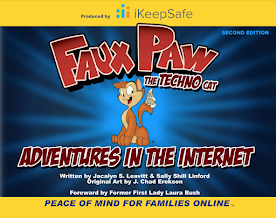
Both first and second grades had Digital Citizenship lessons in March. After all, it's never too early to talk about Digital Safety with children! First grade's lesson was from Common Sense Education's, while second grade got to meet my friend Faux Paw! Both lessons included engaging videos, and both ended with a Seesaw activity.

Using a Seesaw activity to wrap the lessons enhances it in two ways. First, it provides direct practice for students to engage with the concepts in the lesson. Second, it shows families exactly what we've done, and provides them with conversation tools and the family resources. As an added bonus, the kids are super familiar with Seesaw and can interact with it to really showcase their learning!

You can see each lesson on Seesaw. The first grade lesson talks about how using technology makes us feel, and I adapted the emoji game that is included in the lesson so it could be done on Seesaw. Students designed a happy, frustrated, curious, and uncomfortable emoji. I then shared a variety of situations with them, and they had to show the emoji that represented how they'd feel in that situation. The second graders enjoyed the book Faux Paw's Adventures in the Internet, and the animated version with the same title. They then completed a Seesaw activity that sorted activities into "safe" or "not safe."
In first and second grade, Digital Citizenship lessons are peppered throughout the school year, interspersed with coding, games, and curricular content, with the intention to bring awareness to online behavior, how technology impacts people, and overall Digital Safety. We deepen the material appropriately in the older grades. The ultimate goal in the lower grades is to build a foundation of skills on which to build.

When I started in the classroom 20 years ago, I never would have thought that technology would infiltrate the lower grades as deeply as it has. I never expected that my nieces, currently four and seven, would have their own devices but clearly they are not alone in their devices. With that in mind, we need to start educating 'em young so they can building healthy technology habits!

//


Tuesday, March 16, 2021

Do New Then Review

Or at least that's what I told the third graders during their last tech class.

Everyone, including me always wants to jump to the part that's familiar, the part that we know we can be successful on, the part that's easy because we've already learned it.  This week, after thinking about that, I coined a new phrase - Do new, then review.  I explained to the kids that their first task is to work with the new content, and then, once that's done, they can review prior skills.

Ooops.  Some context might be helpful!

The last lesson in third grade tech was another mash-up for digital citizenship.  We used a little bit of Common Sense Media, and a little bit of Google Slides, and a little bit of my brain.

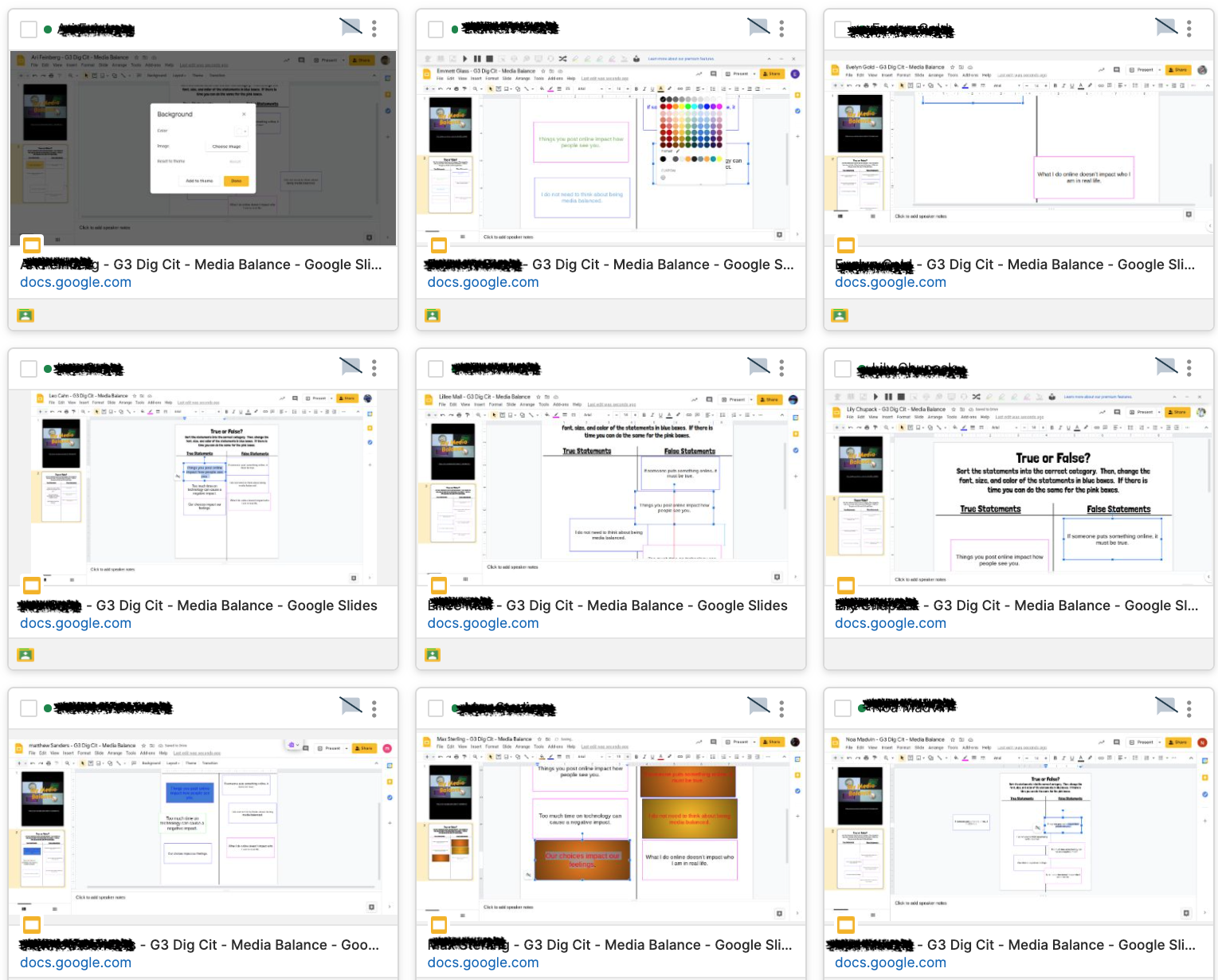
As a class, we watched and discussed the old version of Media Balance by CSM.  I like it particularly because the video uses the term "media" and not "technology" which lends itself to lots of engaging discussion.  After we watched the video, the kids had to go to Google Classroom and open up a Slides assignment where they were asked to sort six statements into true or false.

Once they sorted the statements (the new learning based on the video and discussion) they were then to practice changing fonts, sizes, and colors in the text boxes (review).  Explaining it that way to the kids - that they need to do the new ask first, and then they can review their skills in slides - I got to see a few lightbulbs go off.  They all sorted the statements and then got really creative with their fonts and colors.  Every student finished the activity this time, too... wonder if there is a connection?!

Interested in the lesson?  Send me an email, I'm happy to share!

Tuesday, March 9, 2021

Rings of Responsibility

As we continue our journey into Digital Etiquette and beyond, 3rd graders explored the concept of Rings of Responsibility in tech class.

It was, if I do say so myself, a beautiful marriage of two platforms, brought together in flawless execution for a most memorable experience.

Not.

Well, at least it was definitely not flawlessly executed.  Gotta love technology for that!  It was a beautiful marriage of two platforms, though!

I love the chance to model new tools for the teachers, and EdPuzzle was the chosen tool this time around.  It is such a useful platform!  EdPuzzle allows you to take videos from YouTube (or uploaded by you) and insert questions into the video.  It then gives you a summary of each student - how long they spent watching the video, and how they answered each question.

Yes, you can even set it so that kids can't go past a question without answering it.

The question types in the platform are open ended questions and multiple choice.  The multiple choice questions are self-grading, which is awesome.

The feature that made this such a beautiful marriage is the note feature.  Right at the end of the video, I added a note (not a question, but same set-up) that said "Go to Seesaw to complete the activity."

Which means I got a solid picture of the kids learning via the questions they answered in the EdPuzzle video and the activity they completed in Seesaw!

EdPuzzle has a free platform and a paid platform, and right now you can get the paid platform free until July.  Definitely worth checking out!

This post wouldn't be complete without a plug for Common Sense Media.  So many of my Digital Citizenship lesson plans utilize CSM resources that are so user friendly and fun!


Monday, February 15, 2021

Faux Paw Returns!

Well, only sort of returns.  In my world it's the return of Faux Paw, because in my previous life as a classroom teacher he visited regularly.  This is the first time he's visited since, though!

Anyway.

Last week I got to spend some time with some second graders and we introduced the concept of Digital Citizenship.  This happens to be the remote class, and they happen to be a rather active group.  That's why I chose Faux Paw and his animated adventures!

Faux Paw is a product of iKeepSafe's programming for digital safety.  He has been updated a bit since my classroom days, and has online books as well as animated adventures.  I love the animations because they are short cartoons, but the first one in particular, doesn't do a great job as a stand alone.

So we started the lesson by reading the first ten pages of the book.  Then switched to the cartoon.  The last step was a reflection in, you guessed it, Seesaw.

If you're looking for a great conversation starter, especially for younger grades (K-3ish) you might want to check out Faux Paw!  And as always, if you use Seesaw, message me for the activity if you'd like to add it to your collection!

Tuesday, February 9, 2021

A Technology Tail?

I love reading.  I love stories.  And I especially love picture books.  My personal collection of children's books, ranging in age from birth to high school, is embarrassingly large.

When it came time to introduce digital citizenship in 3rd grade, I decided that this year, I'd start with a book!  Unfortunately, this particular book is in my office at school.  And I'm working from home.

Never fear!  Another mashup to the rescue!  Thanks to the amazing teachers on the planet, I was able to find a video of the book on YouTube.  I then embedded the video into Seesaw, where the kids would complete a follow-up activity, and voila!

We read the book A Technology Tail, by Julia Cook.  If you don't know it, it's a great introduction for kids about how everything they do online makes an impact in the "real world" whether they realize it or not.  It's a great book to add to a digital literacy library.

After we read the book (thank you YouTube) the kids completed an activity in Seesaw that asked them to first pick examples from the book, and then look for examples in their lives.  They needed an example of a "hole" or something you do online that is unsafe, a "tear" or something you do online that is unkind, and an example of a "gift" or something you do online that is positive.  

The book does a fantastic job of examining why some things might feel like a "gift" to one person, but are a "tear" to another.  The kids came up with some great examples from their own experiences, too!  If you're interested in the Seesaw activity, drop me a line and I'll send it your way!


Friday, January 29, 2021

Let's Web-quest!

Sometimes, in my role as ed tech poobah, I get to make really cool activities for teachers to use with their students. This was one of those activities. 

In an epic Mashup of BrainPop and Seesaw, students navigated through a self-paced webquest on Digital Citizenship. Following their previous lesson with me on finding reliable sources online, this webquest dove a little deeper into some of the nooks and crannies in the digital world. 

Since Seesaw added the save as draft feature, it's made it even easier for kids to engage in activities like these, since they no longer need to be completed in one sitting. Because links are now native to Seesaw, it was super easy to link the videos the kids needed to watch directly in the activity. 
If you'd like to get a copy of this Seesaw/Brainpop Mashup, feel free to message me and I'll send the activity link!

Friday, January 15, 2021

Reliable Sources

I'm starting to realize that I collect tech tools the same way I collect fonts.  I tend to have so many different tools, just in case...

PearDeck is not one of those tools.  PearDeck is used.  A lot.  It's not a "just in case" by any means.  

Be Internet Awesome collaborated with PearDeck to create this ready-to-go digital citizenship program.  It's organized into five different units covering a variety of Dig Cit topics.  And 5th grade kicked off 2021 with a focus on fake... well, really the focus was Don't Fall for Fake.

One of the things I really like about the collaboration is that the PearDeck slides make the content more interactive, especially for people teaching remotely.  The presentations use a variety of ways to get kids interacting with the content.  For example, some of the slides ask them to make a choice and drag an icon to one choice or the other.  Other slides ask them to respond to a question.  Still others ask them to draw or annotate the screen.

Using parts of the different lessons, we worked our way through the unit ending with the world of Interland, which is a Google game that is fantastic for reinforcing the lessons from the Be Internet Awesome program.  Did I mention all this is free?


Wednesday, December 2, 2020

We Are Digital Citizens!

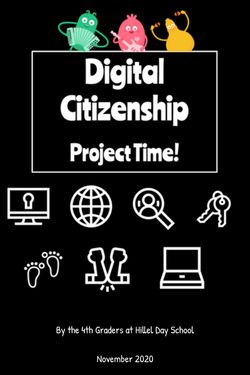
After working their way through a unit on Digital Citizenship, fourth graders created infographics to showcase their learning, and to teach others how to be good digital citizens.  Check out their work!