Showing posts with label Seesaw. Show all posts

Thursday, October 20, 2022

Digital Citizenship + Seesaw Lessons

If you are a Seesaw user, you have to check out the Seesaw Lesson Library. There are SO many ready-to-go lessons that are standards-aligned, engaging, and just plain fun!

My first visit to the lesson library was in search of Digital Citizenship resources, since we were heading into Digital Citizenship week. I stumbled upon the cutest little character, Bean, and his friend Mallow, who teach kids all about Digital Leadership. There are a total of nine lessons in the Digital Leadership library, and we went through the first two with second grade.


The kids loved them. I loved them. I love that the lessons are scaffolded in such a way where there is a whole class activity, an independent practice, an extension or reflection piece, and a home connection. It's all built out for you! Additionally, it's totally accessible for both English and Spanish, with audio tags throughout the pages to read everything to students.

The only suggestion I have after working with the Lesson Library is that if kids are on iPads or tablets it definitely helps to have a stylus and headphones. Well, if kids are on any device the headphones help! We ended up listening to the lesson on the Smartboard and the kids completed each page on their iPad.

There are lessons for a ton of other subjects, too, from phonics to math to science and more! The lessons are an added cost on your Seesaw license, and they always have a few free ones to try out before you buy.


Monday, July 25, 2022

Seesaw Connect 22!

If you're in education, particularly elementary or middle school (though this is a great tool for high school, too!) and you're not aware of or using Seesaw, you're missing out. And if you've heard of Seesaw but aren't using it, this is the perfect time to jump in and try it out!

Why?

Because today kicks off Seesaw Connect 2022! Register now (if you haven't already) for this incredible, on-demand conference that runs between today and August 14th. Best of all, it's free! Best of best of all, it's a great way to learn more about the incredible platform that is Seesaw. Best of all best of all best of all, Seesaw has a completely free version for teachers to use (in addition to a paid and a school-wide platform) that has more features than you can imagine!

Why use Seesaw? Well, that's a whole separate series of posts, but in a nutshell, it provides families with an inside view of student learning, provides teachers with an easy to use tool to assign, collect, review, assess, and provide feedback that students and families can read (or hear!) in an effort to streamline communication, facilitate growth, and maintain transparency into student learning.

I love it.

But don't just listen to me, join the thousands of educators across the globe that use Seesaw, and connect with some of them during this year's Seesaw Connect and the very cool Seesaw Meetups taking place throughout Seesaw Connect.

And I can't close without mentioning that I'm hosting a Seesaw Meetup specifically geared toward tech coaches and tech teachers on Friday, August 12th at 11:00 am EST. Oh, and I've also got a session, too!

"See" you at #SeesawConnect!

//

Thursday, March 31, 2022

Start 'em Young

It is never too early to talk about Digital Safety with children. Never.

Thankfully, there are plenty of fantastic resources available for both parents and educators that explore the complicated and confusing world of Digital Safety. My favorite resource is Common Sense Media, and really, they're my go to for most things educational- technologically or otherwise!

Common Sense has ready-to-go lessons for all grades, ranging in 15 minutes to 45 minutes, complete with activities, interactives, and parent resources. It's the place in which I start when designing activities for our students. Sometimes I only use part of a lesson, sometimes I use the full lesson, and I always use the videos. The videos that Common Sense Education offers are fantastic snippets of lessons that often have catchy tunes. They have clips for all ages, including high school, that are relevant and engaging. Additionally, they've partnered with Book Creator (another favorite!) to bring these lessons to students.

I also love using picture books with all grades to teach Digital Safety. Some of my favorites are linked on the Readings, Resources, and Recommendations tab.

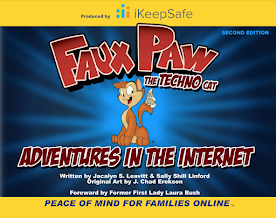
Both first and second grades had Digital Citizenship lessons in March. After all, it's never too early to talk about Digital Safety with children! First grade's lesson was from Common Sense Education's, while second grade got to meet my friend Faux Paw! Both lessons included engaging videos, and both ended with a Seesaw activity.

Using a Seesaw activity to wrap the lessons enhances it in two ways. First, it provides direct practice for students to engage with the concepts in the lesson. Second, it shows families exactly what we've done, and provides them with conversation tools and the family resources. As an added bonus, the kids are super familiar with Seesaw and can interact with it to really showcase their learning!

You can see each lesson on Seesaw. The first grade lesson talks about how using technology makes us feel, and I adapted the emoji game that is included in the lesson so it could be done on Seesaw. Students designed a happy, frustrated, curious, and uncomfortable emoji. I then shared a variety of situations with them, and they had to show the emoji that represented how they'd feel in that situation. The second graders enjoyed the book Faux Paw's Adventures in the Internet, and the animated version with the same title. They then completed a Seesaw activity that sorted activities into "safe" or "not safe."
In first and second grade, Digital Citizenship lessons are peppered throughout the school year, interspersed with coding, games, and curricular content, with the intention to bring awareness to online behavior, how technology impacts people, and overall Digital Safety. We deepen the material appropriately in the older grades. The ultimate goal in the lower grades is to build a foundation of skills on which to build.

When I started in the classroom 20 years ago, I never would have thought that technology would infiltrate the lower grades as deeply as it has. I never expected that my nieces, currently four and seven, would have their own devices but clearly they are not alone in their devices. With that in mind, we need to start educating 'em young so they can building healthy technology habits!

//


Monday, January 17, 2022

A Day to Celebrate Double!

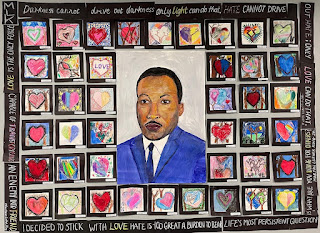
Today was a doubly celebratory day. It is unusual to have both a secular holiday and a religious holiday on the same day!  We honored the memory of Dr. Martin Luther King, Jr. and we celebrated Tu Bishvat, the birthday of the trees, and we kicked off this special day with a school-wide assembly.

The rest of the day was a special day of learning.  From learning about the seven species and shmita, to Dr. King's legacy and his impact in today's society.

Artwork created by 1st - 4th grade students.
Dr. King's Portrait done by our amazing Mr. Bugelli!

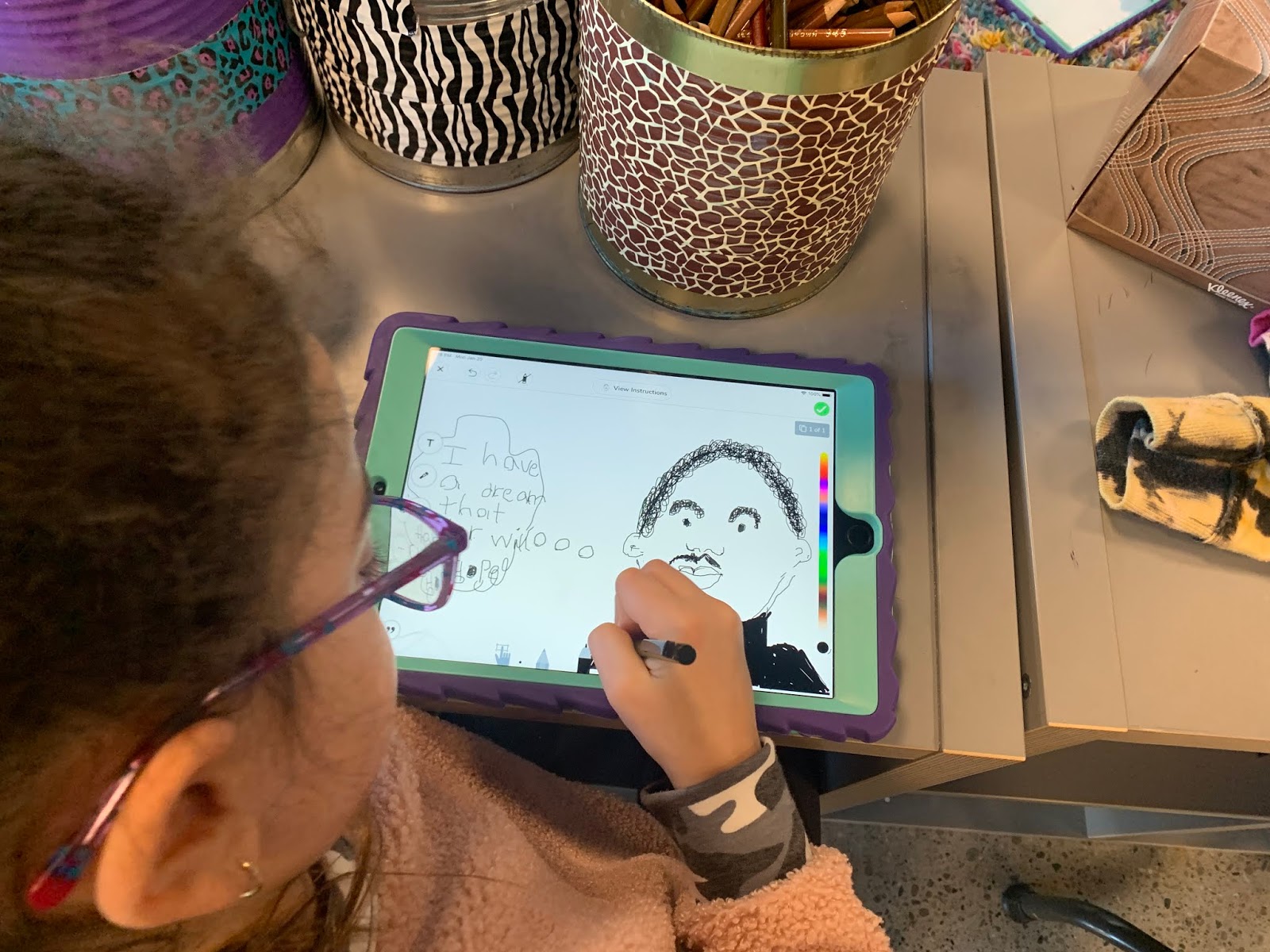
Over the past week-ish, students partook in an inspiring activity in art class that bridged the two celebrations. And in tech today, second graders engaged a directed drawing of Dr. King himself. 

I tried this same guided drawing a few years ago, and made some tweaks this year that made it even better. First, instead of having the kids draw directly on the iPads, we blended things - they drew with pencil and paper, and then we took a picture and uploaded it to Seesaw. Then they add some embellishments and a recording to complete the activity. 

Each of their drawings, even though they all followed the same set of directions, turned out as unique as each student - and all of them, despite level of ability, were wonderfully done. They would have made Dr. King quite proud!


Wednesday, October 27, 2021

Fall CUE

This past weekend was the CUE conference, my first one!

First, I was blown away by the number of educators who, in the current climate, still showed up for a weekend education conference.  Us teachers, we just. don't. stop.  (And I know, that's part of the problem, but that is a whole different post!). At the presenter pre-meeting we were warned that there was a chance people might not show up to our session, in which case, we should pretend we are creating a recording for others to watch later.

Second, I loved how organized the conference was!  From the backend presenter resources and support to the conference website - it was so easy to pop in to sessions throughout the weekend.  There were tons of options, too, which made the organization even more important.

Third, I was really nervous about presenting online.  I mean, I've done PDs and Workshops for my local school and community, but this?  This is a mid-western girl from Michigan presenting via Zoom to the great state of California!  It was a little intimidating!  Both of my sessions were new ones (which was so not smart on my part - new conference and new sessions?!) and so I wasn't sure how they'd go.  Thankfully, everything went smoothly and I got solid feedback from the attendees.

Session one was on using Scratch to create video games.  Session two was all about integrating technology into curriculum.  I featured four tools - Seesaw, Flipgrid, Screencastify, and Book Creator - that all cross subjects, disciplines, and ages.  It was fun to present them, and I'm already tweaking them for the next opportunity.

Finally, the sessions I went to were fantastic.  I know that COVID has sucked the life out of a lot of people, events, systems, and structures.  I also know that for the events that shifted to an online platform, that's some pretty good stuff there, and the fact that I can go back and watch the recordings for the sessions I missed is even better.

If CUE is virtual again, I will be adding it to my list for sure.  If it shifts back to solely in person, I'd happily accept anyone's offer to fund my trip to the Golden state!

//

Monday, October 4, 2021

Seesaw in Second

Last year, I spent the first 2/3 of the year teaching remotely.  And while I still got to teach my 3rd and 4th grade, I really missed teaching the littles!  It was SO much fun finally being back with 2nd graders, and even more fun, introducing them to Seesaw!

When they were in first grade, much of the posts that were made were done by or with the teacher.  (It was a lot of extra work on the teacher's part!)  This year, second graders are en route to becoming masters of their own Seesaw!

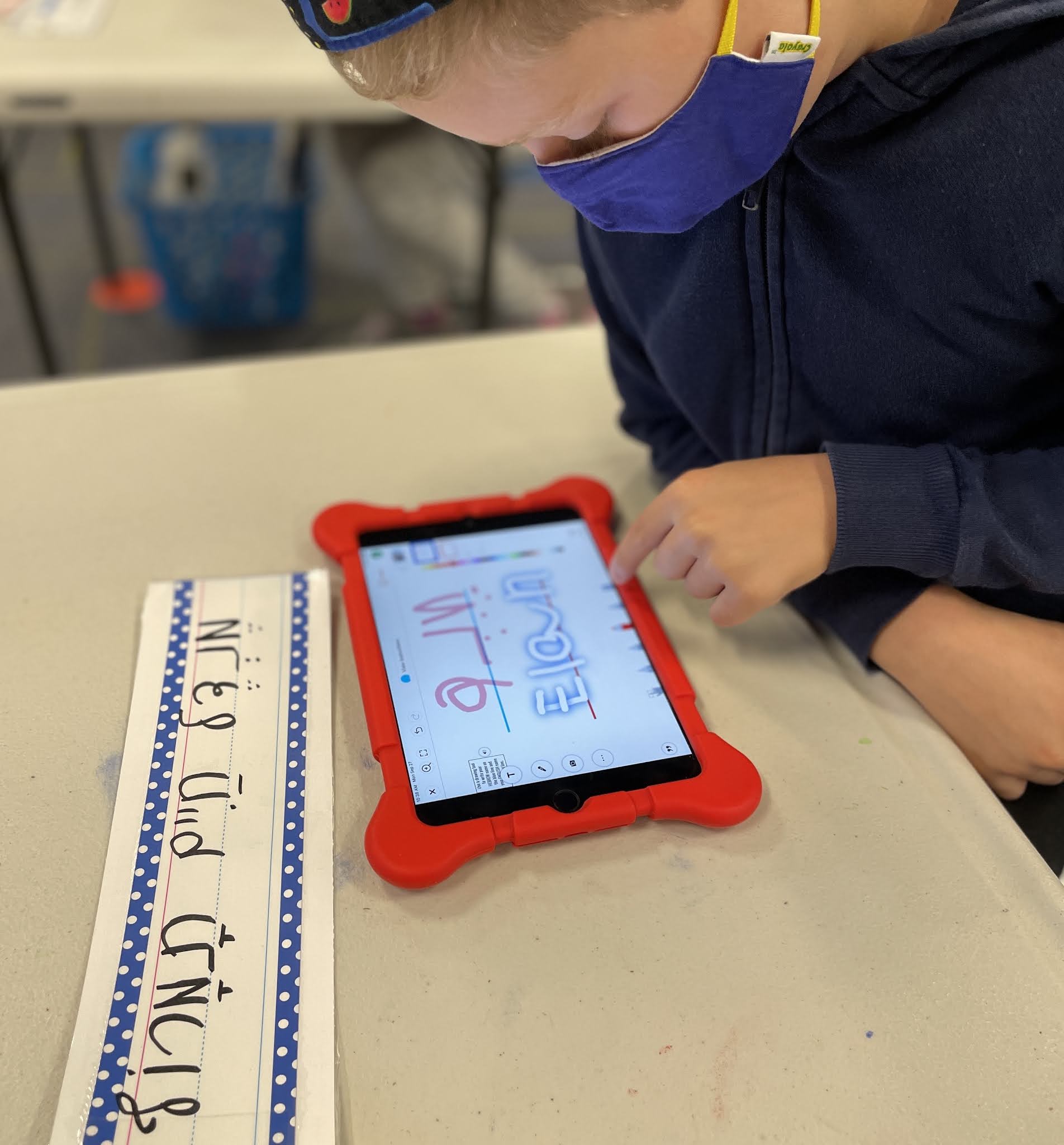
The first part of this journey involved learning how to take a selfie (because despite all the tech time younger kids have, some skills still need teaching) and resizing it properly to fit in a specified shape (remember: always stretch from the corners, no giraffe or hippo photos!)  They also learned how to use the drawing tools.  Next up we will explore shapes and the video camera, before practicing taking pictures of written work to add to our Seesaw journals.

I love how easy Seesaw is to use, and integrate, into everything school.  And I love how the kids are so adept at using their resources to complete their work!  These second graders are well on the road to becoming Seesaw Masters that can show off their learning in a few clicks or snaps of their iPads!

To see the activity I used, click HERE and add it to your Seesaw collection!

//

Tuesday, March 9, 2021

Rings of Responsibility

As we continue our journey into Digital Etiquette and beyond, 3rd graders explored the concept of Rings of Responsibility in tech class.

It was, if I do say so myself, a beautiful marriage of two platforms, brought together in flawless execution for a most memorable experience.

Not.

Well, at least it was definitely not flawlessly executed.  Gotta love technology for that!  It was a beautiful marriage of two platforms, though!

I love the chance to model new tools for the teachers, and EdPuzzle was the chosen tool this time around.  It is such a useful platform!  EdPuzzle allows you to take videos from YouTube (or uploaded by you) and insert questions into the video.  It then gives you a summary of each student - how long they spent watching the video, and how they answered each question.

Yes, you can even set it so that kids can't go past a question without answering it.

The question types in the platform are open ended questions and multiple choice.  The multiple choice questions are self-grading, which is awesome.

The feature that made this such a beautiful marriage is the note feature.  Right at the end of the video, I added a note (not a question, but same set-up) that said "Go to Seesaw to complete the activity."

Which means I got a solid picture of the kids learning via the questions they answered in the EdPuzzle video and the activity they completed in Seesaw!

EdPuzzle has a free platform and a paid platform, and right now you can get the paid platform free until July.  Definitely worth checking out!

This post wouldn't be complete without a plug for Common Sense Media.  So many of my Digital Citizenship lesson plans utilize CSM resources that are so user friendly and fun!


Friday, March 5, 2021

Seesaw Connect!

This week, Seesaw hosted a week-long PD series for Seesaw for Schools Administrators.  It was a series of self-paced courses presented through the Seesaw Learning Hub.  Those were supplemented with live mini-sessions to discuss the different topics presented in both the courses, and the "Snapshot" sessions that were available as well.

My week was the usual crazy-busy that is this time of the school year (and if we're being honest, there is no slow time of year in a teacher's world!) so I wasn't able to partake in the live sessions earlier in the week, but I did get to go to three sessions today.

It was SO inspiring!  

My role is a fairly unique one, educational technology coordinator (technical title: Coordinator of Technological Adventures) and it is a treat to collaborate with others in similar roles.  Today, I got to chat with three (mostly) different groups of educators through Seesaw Connect.  They were short bursts, 20 minute sessions, and despite the brevity, they were so energizing!

It reminds me how important those professional conversations are.  For those in roles where they don't have collaborators in house, such as a single media specialist, music teacher, or art teacher, it's even more important to find events like Seesaw Connect.  Because I get to chat with everyone about tech everywhere I go, I forget how powerful these peer-to-peer conversations with those in job-alike situations are.

And.... if you're not a part of the Seesaw community, and your school uses Seesaw, go sign up!  You don't know what you're missing!  Joining the community and taking the modules keeps me updated and excited about Seesaw!


Tuesday, February 9, 2021

A Technology Tail?

I love reading.  I love stories.  And I especially love picture books.  My personal collection of children's books, ranging in age from birth to high school, is embarrassingly large.

When it came time to introduce digital citizenship in 3rd grade, I decided that this year, I'd start with a book!  Unfortunately, this particular book is in my office at school.  And I'm working from home.

Never fear!  Another mashup to the rescue!  Thanks to the amazing teachers on the planet, I was able to find a video of the book on YouTube.  I then embedded the video into Seesaw, where the kids would complete a follow-up activity, and voila!

We read the book A Technology Tail, by Julia Cook.  If you don't know it, it's a great introduction for kids about how everything they do online makes an impact in the "real world" whether they realize it or not.  It's a great book to add to a digital literacy library.

After we read the book (thank you YouTube) the kids completed an activity in Seesaw that asked them to first pick examples from the book, and then look for examples in their lives.  They needed an example of a "hole" or something you do online that is unsafe, a "tear" or something you do online that is unkind, and an example of a "gift" or something you do online that is positive.  

The book does a fantastic job of examining why some things might feel like a "gift" to one person, but are a "tear" to another.  The kids came up with some great examples from their own experiences, too!  If you're interested in the Seesaw activity, drop me a line and I'll send it your way!


Friday, January 29, 2021

Let's Web-quest!

Sometimes, in my role as ed tech poobah, I get to make really cool activities for teachers to use with their students. This was one of those activities. 

In an epic Mashup of BrainPop and Seesaw, students navigated through a self-paced webquest on Digital Citizenship. Following their previous lesson with me on finding reliable sources online, this webquest dove a little deeper into some of the nooks and crannies in the digital world. 

Since Seesaw added the save as draft feature, it's made it even easier for kids to engage in activities like these, since they no longer need to be completed in one sitting. Because links are now native to Seesaw, it was super easy to link the videos the kids needed to watch directly in the activity. 
If you'd like to get a copy of this Seesaw/Brainpop Mashup, feel free to message me and I'll send the activity link!

Sunday, December 13, 2020

Hour of Code Week 2020

I love Hour of Code.  I love the concept, the execution, the videos, the activities - everything.

This year, since I am working remotely, I had to put a bit of a twist on the week.  

The video released for Hour of Code this year was by far my favorite yet.  It had most of the teachers in tears while it was being shown.  If you haven't seen it yet, I encourage you to check it out!

Seesaw made it super easy to create an interactive learning experience for the kids.  Check out the Seesaw Activity if you want to see it!  The activity walks the kids through the video and a brief self assessment before taking the kids to three choice boards.  After they explore some of the Hour of Code activities, there are a few reflection questions to wrap up the activity.

This week is such a great reminder as to how coding can support all learning - the ability to problem-solve and persevere.  We get so preoccupied with doing things a certain way, fitting everything into the schedule for the day... sometimes we forget that there are so many paths to the same destination.

I think my favorite part of the week, though, was having some 4th graders help me tackle one of the more challenging options and seeing their pride in cracking those codes!  


Major Bonus!  Immersive reader is now a part of code.org!  Super stoked over here!


Friday, October 30, 2020

A Proud Political Moment

Every year, our 5th graders partake in a unit on government and elections.  The unit always ends with some sort of social action project on the kids year.  When it's an election year, it's an even more exciting unit!  This year's monkey wrench, also known as CO19, didn't stop the teachers from pulling out all the stops!

Using Seesaw, students took the letters they wrote convincing people to vote and turned them into a video.  All the videos were then compiled, and the one class's results are below.  We all hope that it helped voter turnout!


Monday, January 20, 2020

Techuary!

Today, we kicked off a special collaboration between art and technology!  Our Kindergarten - 4th grade students go to art each week.  Our 1st - 4th grade students have tech time once each week.  The art teacher and I decided to try something new, and Techuary was born!

Over the next month, each grade, Kindergarten through 4th grade, will experience a technology-based art project.  Since today was already a special school day for our students, a day where we honor and celebrate all that Dr. Martin Luther King, Jr., stood for, it was the perfect day to start!

In art this afternoon, 2nd grade did a special project for MLK day.  Using Seesaw on the iPads, they had a step-by-step lesson on drawing people - a special person today, MLK - focusing on proportions and shapes (and more the art teacher could much more eloquently explain!)  By the time class was done, they had shared this special drawing with their families!  Check out some of their work!

Next week is Shapegrams with 3rd and 4th grade - can't wait!


Monday, November 5, 2018

This Week's Adventures!

Each week is so full of learning adventures, I am going to get better at documenting them.  How?  Via this blog.  We'll see how that goes!

During their tech time this week, first and second graders will learn the art of error analysis, also known as debugging.  For the launch we're using math problems so they can get the idea of looking for mistakes that are kinda obvious.  From there, we'll launch into the one, the only, Angry Birds!  (Gotta love code.org!)

Third graders are wrapping up their most recent read-aloud by creating a reading strategies map on Explain Everything and then uploading it to Seesaw to share with their families.  This is the first time I've gotten to use Explain Everything with their community and it was awesome.  Seriously.  The ideas that started flowing from the teachers once they saw how EE worked was inspiring.

Toontastic debuted in fourth grade last week, and they're finishing it this week, as a means to tell their first fully finished short stories.  There was a unique twist, though, as some of these so-called short stories were a tad too long for Toontastic, so we're trying out a mashup of Tootnastic, Voice Recorder, and iMovie.  Keep you posted on that....

You have to check out the PSAs our 5th graders finished - they used a variety of tools to create said PSAs in an effort to convince people to vote.  Which at this point, if you're of voting age, should be a non-negotiable.  We introduced Adobe Spark and Telestory, and revisited Stop Motion Animation and DoInk for that project.
Go Vote!

Here.  Watch the PSAs.  You won't regret it!

Speaking of PSAs, our 8th graders are knee deep in one of the biggest projects of the year - raising awareness for local charitable and non-profit organizations.  Continuing this week is the work on creating PSAs, Infographics, and other multi-media tools to shine the spotlight on their chosen organizations.