Showing posts with label 2nd grade. Show all posts

Wednesday, November 16, 2022

Chattering via Chatterpix

I know this may be an older app, but Duck Duck Moose's Chatterpix Kids is still one of my favorites, and year after year, I never get tired of introducing it to kids! (And their teachers, for that matter!)

Our second grades complete a Thanksgiving persuasive writing project each November, the fairly popular one where they disguise a turkey so it survives the holiday feast. A few years ago, we decided to add in a technology component, where they use Chatterpix Kids to make their turkeys "talk." This year, I got smart. I had the kids do a practice Chatterpix, going from start (taking the picture, making the turkey talk) to finish (uploading it to Seesaw) and what a difference that made!

To give them something consistent to use for practice, I brought our own school logo to life! It's amazing what a pair of eyes and a mouth does to an inanimate object! We practiced holding the iPad properly so that it only showed the paper in the background (no carpet!) and we practice speaking loudly, clearly, and slowly so that the mouth had lots of movement!

Past experience has shown that when we practice at this level, the actual project works much smoother. We'll have to wait and see!

Thursday, October 20, 2022

Digital Citizenship + Seesaw Lessons

If you are a Seesaw user, you have to check out the Seesaw Lesson Library. There are SO many ready-to-go lessons that are standards-aligned, engaging, and just plain fun!

My first visit to the lesson library was in search of Digital Citizenship resources, since we were heading into Digital Citizenship week. I stumbled upon the cutest little character, Bean, and his friend Mallow, who teach kids all about Digital Leadership. There are a total of nine lessons in the Digital Leadership library, and we went through the first two with second grade.


The kids loved them. I loved them. I love that the lessons are scaffolded in such a way where there is a whole class activity, an independent practice, an extension or reflection piece, and a home connection. It's all built out for you! Additionally, it's totally accessible for both English and Spanish, with audio tags throughout the pages to read everything to students.

The only suggestion I have after working with the Lesson Library is that if kids are on iPads or tablets it definitely helps to have a stylus and headphones. Well, if kids are on any device the headphones help! We ended up listening to the lesson on the Smartboard and the kids completed each page on their iPad.

There are lessons for a ton of other subjects, too, from phonics to math to science and more! The lessons are an added cost on your Seesaw license, and they always have a few free ones to try out before you buy.


Monday, October 4, 2021

Seesaw in Second

Last year, I spent the first 2/3 of the year teaching remotely.  And while I still got to teach my 3rd and 4th grade, I really missed teaching the littles!  It was SO much fun finally being back with 2nd graders, and even more fun, introducing them to Seesaw!

When they were in first grade, much of the posts that were made were done by or with the teacher.  (It was a lot of extra work on the teacher's part!)  This year, second graders are en route to becoming masters of their own Seesaw!

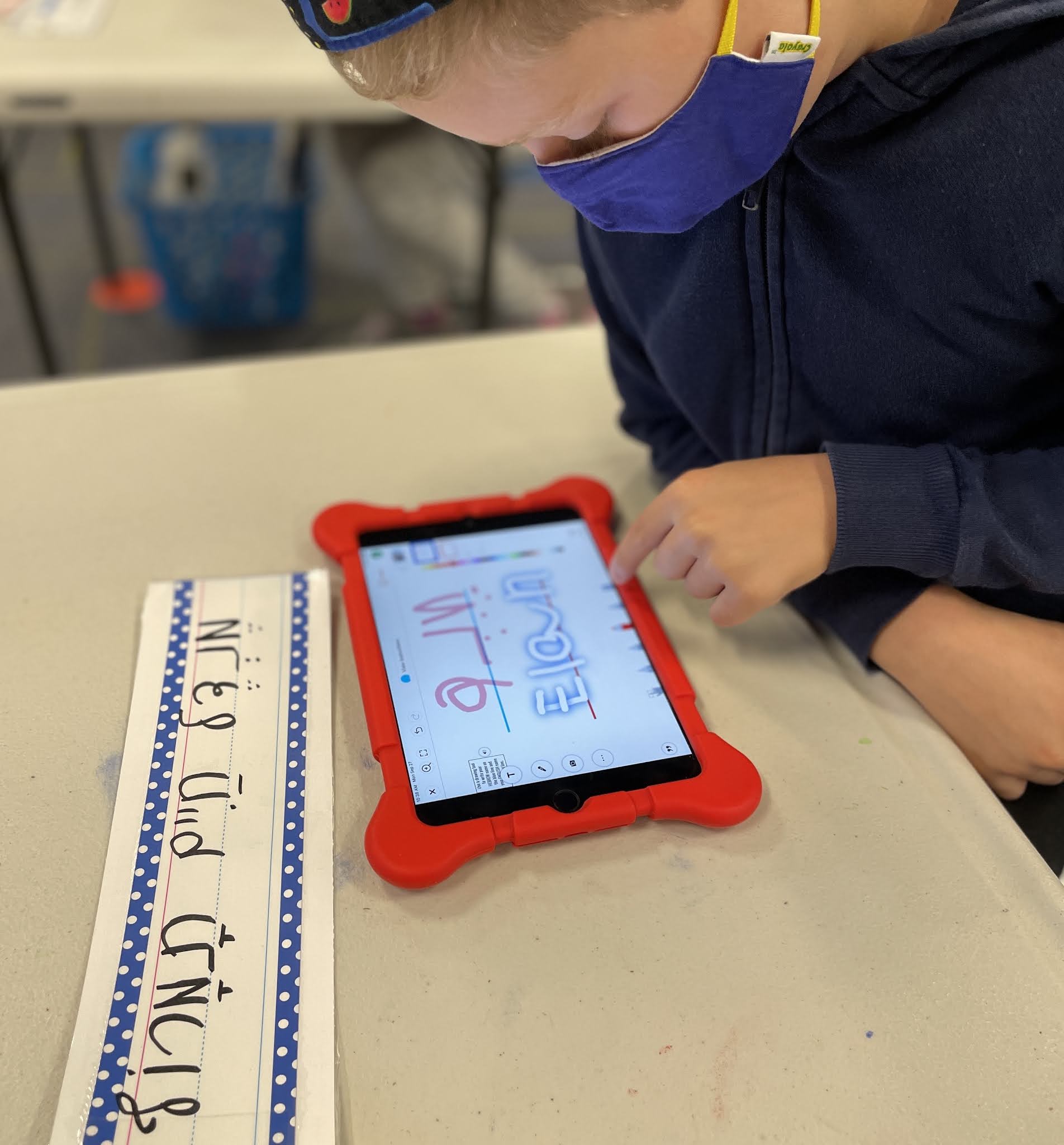
The first part of this journey involved learning how to take a selfie (because despite all the tech time younger kids have, some skills still need teaching) and resizing it properly to fit in a specified shape (remember: always stretch from the corners, no giraffe or hippo photos!)  They also learned how to use the drawing tools.  Next up we will explore shapes and the video camera, before practicing taking pictures of written work to add to our Seesaw journals.

I love how easy Seesaw is to use, and integrate, into everything school.  And I love how the kids are so adept at using their resources to complete their work!  These second graders are well on the road to becoming Seesaw Masters that can show off their learning in a few clicks or snaps of their iPads!

To see the activity I used, click HERE and add it to your Seesaw collection!

//

Monday, February 15, 2021

Faux Paw Returns!

Well, only sort of returns.  In my world it's the return of Faux Paw, because in my previous life as a classroom teacher he visited regularly.  This is the first time he's visited since, though!

Anyway.

Last week I got to spend some time with some second graders and we introduced the concept of Digital Citizenship.  This happens to be the remote class, and they happen to be a rather active group.  That's why I chose Faux Paw and his animated adventures!

Faux Paw is a product of iKeepSafe's programming for digital safety.  He has been updated a bit since my classroom days, and has online books as well as animated adventures.  I love the animations because they are short cartoons, but the first one in particular, doesn't do a great job as a stand alone.

So we started the lesson by reading the first ten pages of the book.  Then switched to the cartoon.  The last step was a reflection in, you guessed it, Seesaw.

If you're looking for a great conversation starter, especially for younger grades (K-3ish) you might want to check out Faux Paw!  And as always, if you use Seesaw, message me for the activity if you'd like to add it to your collection!

Friday, February 7, 2020

Scratch Jr.

Last year, our first and second grade students had a weekly tech time where we explored the elements and skills of coding.  Because time is very tight this year with two new curriculums in our lower elementary grades, all tech has to be carefully planned and seamlessly integrated into class time.

That doesn't mean we're not coding, though!

Scratch Jr. + snap words = Better Together!

Second graders used the Scratch Jr. app on the iPads to code their snap words during phonics.  They learned how to make the letters and words spin and dance across colorfully illustrated backdrops.  They explored if/then codes and learned how to create trigger events.  They marveled at how a tiny adjustment in the code could make a big difference in the outcome!

And.

They had a blast in the process!

I'm always looking for new ways to slide technology into our days - this one was a winner!


Thursday, April 11, 2019

Masterpiece, Take 2!

Feeding of the fantastical-ness of the 3rd grade Osmo Masterpiece experience last week, this week 2nd grade gave it a go!

The kids are in the midst of an exploration on character traits, so what better way to explore character traits than to examine their own traits?

And what better way to examine your own traits than by drawing a self portrait?And what better way to draw a self portrait than with Osmo Masterpiece?

With what we learned from the 3rd grade experience, we were able to modify so that things were a little smoother.  One thing that made a huge difference was a suggestion from our art teacher - flip the pictures upside down.  That helped the kids focus on tracing the lines, instead of trying to draw perfect eyes (which, by the way, are really challenging to draw!)

The kids, of course, all whined about how terrible their drawings looked in the process.  The finished products, though?  Once outlined with Sharpie and colored with watercolors?  Yeah.  Pretty fantastical.

Now.... which grade will Osmo Masterpiece tackle next?


Monday, April 1, 2019

Among the Chaos....

So the past two weeks have been massively chaotic - between the Ah-May-Zing Macul Conference (more later!) and then parent-teacher conferences... yeah.  Busy busy busy!

What is one to do when there is so much happening?  A scavenger hunt, of course!  Or at least that's what the second graders did the past two weeks during tech time.  And since it was March... and March is Reading Month.... why not make it a reading scavenger hunt?  And since it happens to be during tech time.... why not make it an EPIC scavenger hunt?

Which is exactly what we did.

Since we kicked off tech time in March is Reading Month by introducing Epic, what better way to wrap the month than with a full on exploration of all that Epic has to offer.

It was a fun way for the second graders to explore the different offerings in Epic - read-to-me books, building a library of favorites, finding a series to dive into - it was, well, Epic!